
Free forever · Kodak Pakon F-135 & F-135+
Pakon scanner software for Mac, Windows & Linux
Your Pakon, back in service. Plug your Kodak Pakon F‑135 into the computer you already have, feed a strip of film, and get finished pictures. No old Windows XP PC needed.
Free forever. Also for Mac (Apple silicon)Mac (Intel)Windows 10 & 11Linux (.deb) · all versions
Free. Forever.
- No price
- No trial
- No subscription
- No roll limit
- No account
What it does
The Pakon F-135 was built to scan whole rolls of 35 mm film fast, but its software only runs on Windows XP. This free app takes its place.
Works on today's computers
Mac, Windows 10 and 11, and Linux. No old PC, no virtual machine, nothing extra to set up.
Kodak's colours
The same colour processing as the original software, so your scans look the way a Pakon scan should.
Colour, black & white and slides
Colour negative, black & white (including XP2 and BW400CN) and slide film in uncut strips.
Check every frame
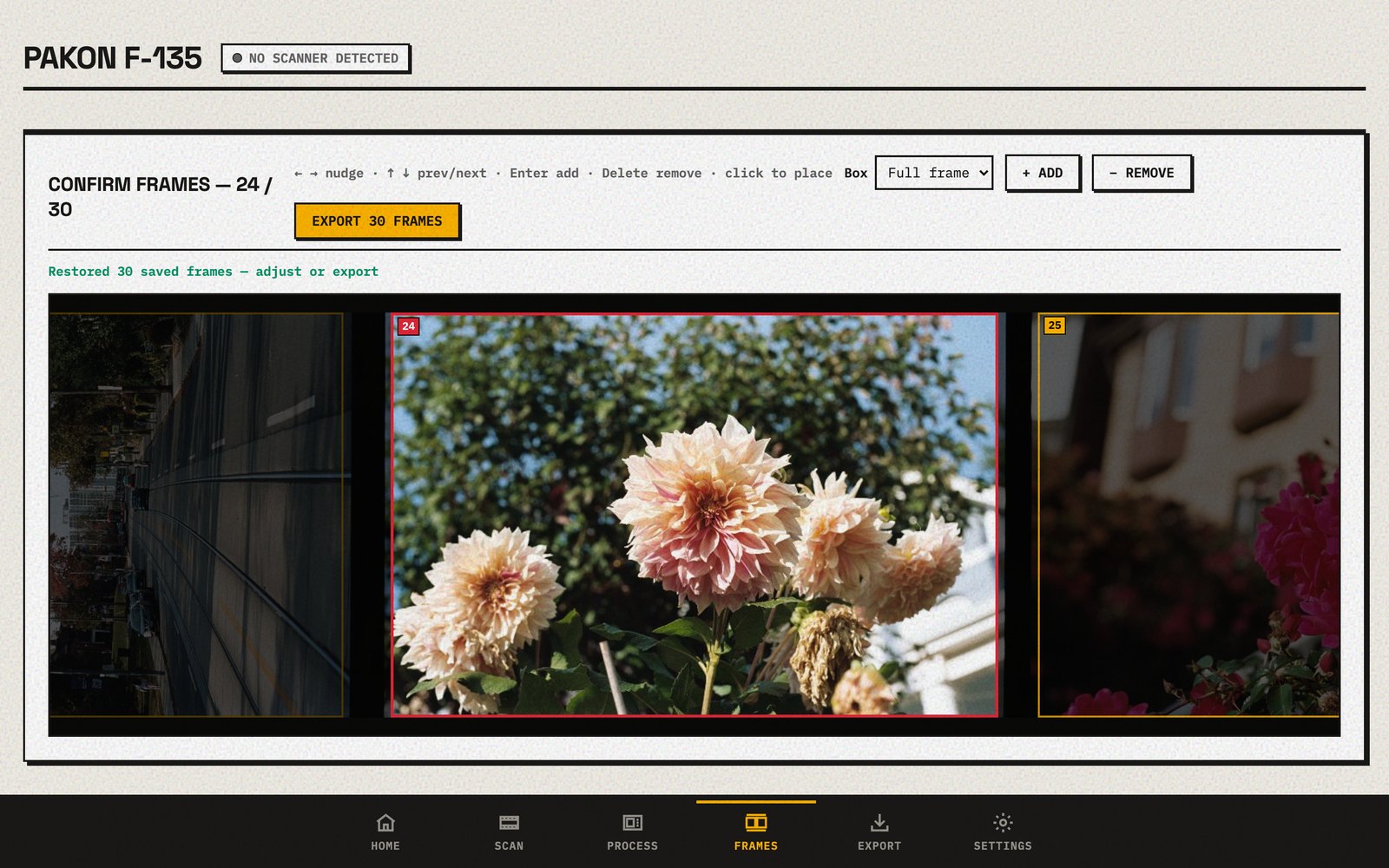
OpenPakon finds the pictures on the strip. Move, add or remove the boxes, including half-frame and panoramic shots.
Saves like a lab
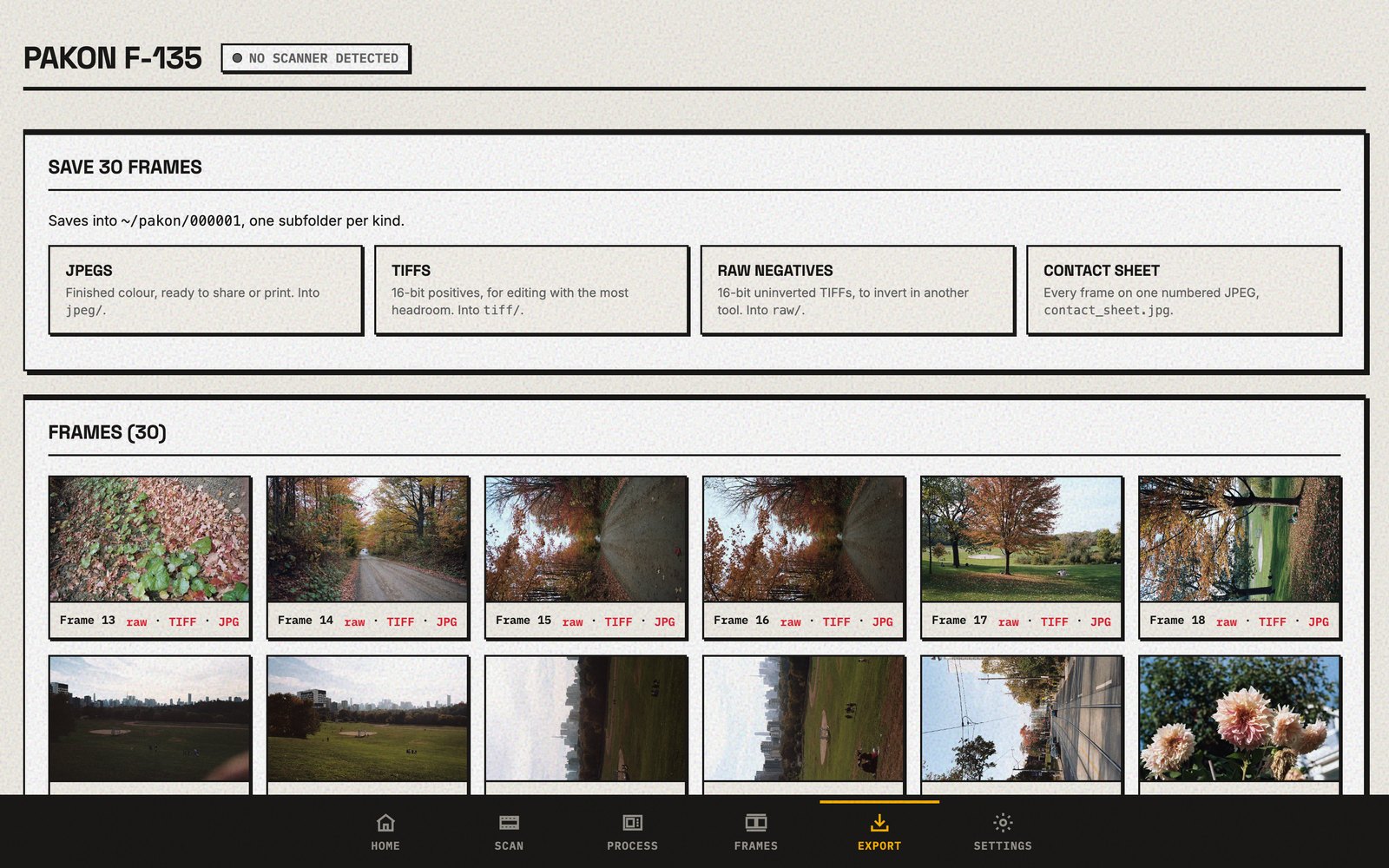
Each roll gets its own folder with JPEGs, TIFFs, raw negatives and a contact sheet.
Knows your film
OpenPakon reads the code on the film's edge and adds the film name and ISO to every picture, like "Kodak Gold 400".
Removes dust
Optional dust and scratch removal for colour negative film (and XP2 or BW400CN), using the scanner's infrared light.
Free forever
Not a trial, not a free tier. Every feature, every roll, no catch. The code is open source, so it stays free.
From strip to finished pictures
- Feed the film. Pick the film type, press Scan, and feed the strip when OpenPakon says so.
- Check the frames. OpenPakon puts a box on every picture. Nudge any that are off.
- Save. Choose JPEGs, TIFFs, raw negatives or a contact sheet. Done.
Which scanners work?
| Scanner | Works? |
|---|---|
| Kodak Pakon F-135 | Yes, fully. This is the scanner OpenPakon is tested on. |
| Kodak Pakon F-135+ (Plus) | Yes. Same app as the F-135. |
| Kodak Pakon F-235, F-335 | No. They're different machines inside. |
Guides
OpenPakon on a Mac
Apple silicon and Intel Macs, macOS 13 or later.
OpenPakon on Windows 11
Windows 10 and 11, with the scanner driver included.
OpenPakon on Linux
Ubuntu 24.04 and Linux Mint 22.
Without Windows XP
Retire the old laptop or the virtual machine.
Coming from TLX
Where everything you did in TLXClientDemo lives now.
16-bit TIFFs
Get the most out of your scans for editing.
Questions
Is it really free?
Yes, and it always will be. There's no licence to buy, no trial, no subscription and no limit on how many rolls you scan. It's open source under a licence (the AGPL) that keeps the code open for everyone, so it can't be locked away later.
Do I still need Windows XP or a virtual machine?
No. OpenPakon runs directly on a modern Mac, on Windows 10 or 11, and on Linux. See using a Pakon without Windows XP.
Does it work with the F-135+?
Yes. OpenPakon works with both the F-135 and the F-135+. Which scanners work.
What about the F-235 or F-335?
No. They are different machines inside, and OpenPakon doesn't support them.
Will my scans look like Pakon scans?
Yes. OpenPakon uses Kodak's own colour processing, the same that the original software used, so colour and contrast come out the way you'd expect from a Pakon.
What can I save?
JPEGs ready to share, 16-bit TIFFs for editing, the raw negatives for tools like Negative Lab Pro, and a contact sheet of the whole roll.
Is this made by Kodak?
No. It's an independent project by film photographers. It isn't made or supported by Kodak.
Where can I ask questions or talk to other Pakon owners?
Most Pakon owners gather in the Pakon F-135 group on Facebook. It's a good place to share scans and ask for help. To report a problem with the app, use GitHub.
Does it send my photos anywhere?
No. Your pictures stay on your computer. OpenPakon can send anonymous crash reports and usage numbers, but only if you say yes. More about privacy.