Base 16 · 16-bit
Export 16-bit TIFFs from a Pakon
Get the most out of every frame: OpenPakon saves 16-bit TIFFs and raw negatives at the scanner's highest resolution. Free.
Free forever. Also for Mac (Apple silicon)Mac (Intel)Windows 10 & 11Linux (.deb) · all versions
Why 16-bit?
A JPEG keeps 256 shades per colour. A 16-bit TIFF keeps thousands. You won't see the difference straight away, but you will when you edit: brightening shadows or shifting colours won't leave bands or blotches.
What you can save
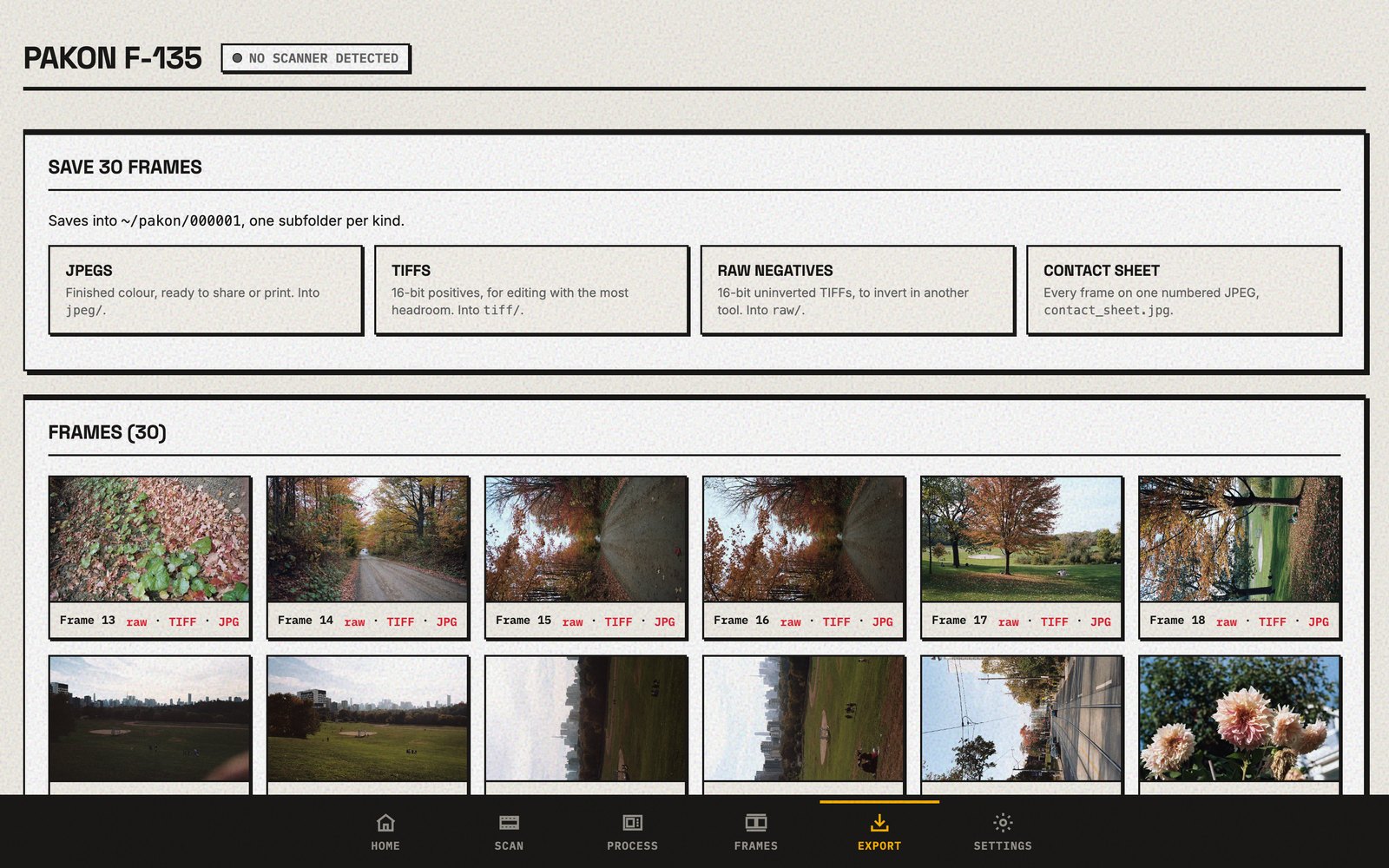
| Choice | What you get | Good for |
|---|---|---|
| JPEGs | Finished pictures with Kodak's colours | Sharing, printing, quick looks |
| TIFFs | Finished pictures, 16-bit | Editing in Lightroom or Photoshop |
| Raw negatives | The negative as scanned, 16-bit, orange mask and all | Negative Lab Pro and other converters |
| Contact sheet | The whole roll on one page | Picking your keepers |
How to save them
- Scan the roll and check the frames.
- Press Export.
- Choose TIFFs, Raw negatives, or both. They're saved in the roll's folder.
Questions
What size are the pictures?
At Base 16, the Pakon's highest resolution, a full 35 mm frame comes out at 3000 × 2000 pixels. Base 8 and Base 4 are smaller and faster.
Is this the same as TLX's "16 Base"?
It's the same resolution. Pick Base 16 on the Scan page (it's the default), and the TIFFs OpenPakon saves hold the full 16 bits per colour.
Should I save TIFFs or raw negatives?
TIFFs if you want Kodak's colours with room to edit. Raw negatives if you prefer to turn the negative into a positive yourself, in a tool like Negative Lab Pro.
Do black & white TIFFs come out in colour?
No. Black & white film is saved as 16-bit greyscale TIFFs.
Do the files say which film I used?
Yes. When OpenPakon reads the film's edge code, the film name and ISO go into every file.